The Stolen Earth

Tom is the main writer at atypicalreview.com, presumably because he’s the one with nothing else better to do. You can follow him on twitter if you’re into that sort of thing.
Some presumably otherwise lovely people, including Douglas Adams’ widow, Jane Belson, have decided that what’s really needed in this world is a sixth Hitchhiker’s Guide to the Galaxy book.
There’s not enough “why” in the world to appropriately respond to this. Douglas Adams is quoted as saying
“I suspect at some point in the future I will write a sixth Hitchhiker book… I would love to finish Hitchhiker on a slightly more upbeat note. Five seems to be a wrong kind of number, six is a better kind of number.”
Which would completely justify a new book by Douglas Adams. Unfortunately, he remains irritatingly dead, and so now Eoin Colfer is going to write one, because clearly, what everyone really wants, and what Mr Adams would have wanted, is a new Hitchhiker’s book written by someone who isn’t him.1 No, seriously, who are these people? Where are their brains?
I guess I should count my blessings that Kevin J Anderson isn’t somehow involved.
Incidentally, if anyone’s noticed that all the old articles have gone wacky again — though I can’t see why they would have — it’s because I’ve just switched to WordPress. It’s possible that this has something to do with it. Normal service will gradually be resumed.
Oh alright. One more iPhone post, but only so as to try to collect all the tips I’ve seen around the web in one handy place. Let’s get right to it. A lot of them are typing tips, but there’s some others.
There’s some basic things about the keyboard that everyone should know, but I’ll say them just in case. Inside “Settings” > “General” > “Keyboard”, you’ll probably want to enable the “.” shortcut, so that you can get a full stop and a space just by pressing double-space at the end of a sentence. You’ll also want to enable caps lock, which I avoided for a while until I realised that it just enables double-tapping the shift key to move into caps lock. Generally speaking, if you’re using punctuation at the end of a sentence, pressing space will automatically return you to the letter keyboard, so don’t waste time switching back.
Speaking of punctuation: don’t bother typing your own apostrophes unless you really have to. By which I mean, the most common apostrophed words get auto-corrected. Type “dont” for “don’t”, “theyre” for “they’re”, etc, and the words will be automatically corrected for you. If you come up against a stinky word like “we’re”, whose apostrophe-less form also happens to be a perfectly sensible word in its own right, just repeat the last letter and type “weree” to get the phone to correct it appropriately.
If you hold down a letter for a bit, a pop-up will arrive with options for special versions of that letter, i.e. with accents and the like. This hasn’t come in handy yet, but its time will come…
It doesn’t come up much, but if you’re browsing a page which has a separate scrollable area within it, use two-fingered scrolling to scroll that area.
If you’re using your iPhone to play music, you can double-tap the home button while the screen’s locked to bring up mini iPhone controls. And if you’re NOT listening to music, but you were, then you can do the same and press play to start from wherever you left off. Presumably if you haven’t at all, it just shuffles your songs or something.
At time of writing, searching Google by actually going to google.com will give you nicely mobile-screen filling text, rather than the big spread out normal results. For some reason, using Google’s own actual searching app for the iPhone does not do this, and nor does searching through the Safari search bar. Makes me grumpy.
If I think of or find some more, I’ll add them here.
Ahem. It turns out that a much easier way to get around the following problem is to just upgrade to iPhone OS 2.1. Because these days audio podcasts just keep playing nicely like they should. Still, you can go ahead and do the following if you’d like to. You know, for fun.
One of my irritations with the iPhone, which I forgot to mention before, was with audio podcasts. On a normal iPod, if you play the first of a bunch of audio podcasts, at the end, it will continue on to the next, and so forth
On an iPhone however, it’ll just stop. This is a pain if you’ve got a whole boodle of Onion Radio News or triple j new music to get through.
The solution is easy: make a smart playlist in iTunes for tracks which both:
Sync this playlist to your iPhone and when you play it, there’ll be no irritating stoppages. It’s possible this only irritated me, but I thought I’d mention it on the off-chance.
Next time; I promise not to talk about iPhones. No, really.
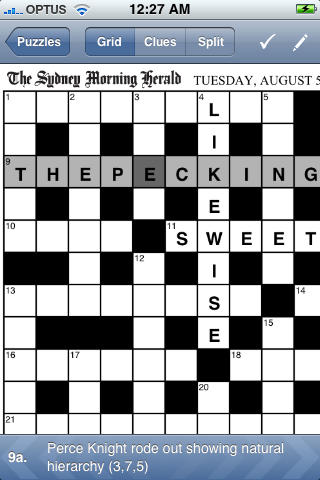
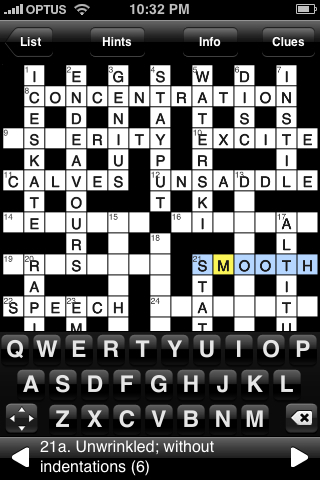
Well, we’re about a month into having an iPhone now. It’s time to do a spot of reviewing. After all this build-up, is the iPhone actually a good phone? Does it suck in places? Which places? First — the good stuff.
But there are downsides to the iPhone, too. I occasionally miss being able to hit a green button whenever I’m looking at something even vaguely about a contact in order to call them. I can’t copy and paste text of course. I’d settle for being able to insert the contents of my “Notes” into proper textareas while browsing. And what the hell is up with those notes anyway? Why don’t they sync with Mail’s notes? It’s not like they look and function EXACTLY THE SAME or anything. I know many have expressed these frustrations, but it doesn’t make them any less annoying. The only redeeming feature of the Notes app is that you can email them.
In other annoyances, the Contacts app — surely a simple sort of thing — quite often hangs after you launch it. Or rather, it did before iPhone OS 2.0.1 was released. Well played, Apple.
Having to wait for Apple to approve updates to software is occasionally frustrating, too, though from a user point of view, it’s easily solved by the developers not telling us about their awesome updates before that approval comes. When you actually update an app, it gets wrenched back to your first home screen, regardless of where you happened to have it filed away.
These are niggles though. My biggest beef with the iPhone, perhaps predictably, came not from Apple but from Optus. While the service had been excellent, my initial bill was unexpectedly $123 and not $66, as I had expected.1 It turned out that I had impressively managed to download 200mb of data in my first five days, and that those five were in Optus’s eyes, part of a pro-rated month, where my download limit was around 80mb. When I pointed out to the sales assistant that my first month was supposed to have unlimited data, he pointed out that in the terms of service, the “first month” didn’t start until two weeks into the contract. I pointed out that the person selling it to me had specifically told me otherwise, and he kindly refunded me — take note, hapless Optus customers.